



























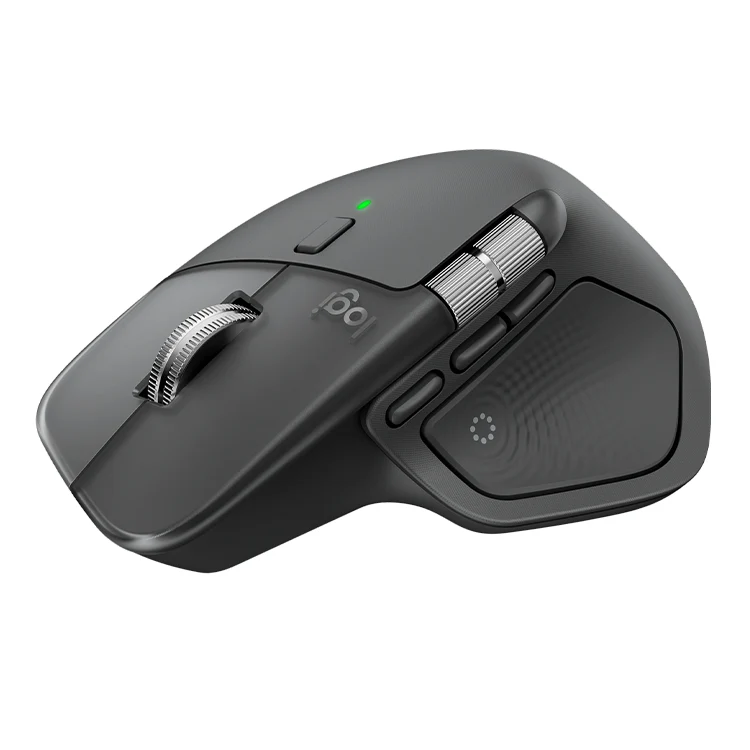




Logitech MX Master 4 Mouse (1Yr)
| 🏦 BANK TRANSFER /💰 CASH PAYMENT |
රු 43,500.00
රු 39,150.00
-10% OFF
|
|
🟢 KOKO / MintPay
Pay in 3 hassle-free parts
|
රු 14,500.00 × 3
Total: රු 43,500.00
|
| 💳 VISA / MASTER / AMEX |
රු 43,500.00
රු 41,325.00
-5% OFF
Powered by Genie Business
|
– Darkfield high precision Sensor Technology
– 200-8000 (can be set in increments of 50 DPI
– Mag Speed wheel with smart shift
– Wireless technology
– 8 Number of Buttons
– 1000 Nominal value
| Weight | 1 kg |
|---|
Logitech MX Master 4 Mouse
Upgrade your setup for all-day comfort and productivity.
-
Technical details
Full technical specifications, verified against official manufacturer data – everything you need to make a confident, informed purchase.
-
Product Dimensions & Weight Details
-
Mechanical Design
-
Mouse Details
Sensor & Tracking
- Sensor Technology: Darkfield high precision
- Nominal value: 1000
- DPI (Minimal and maximal value): 200-8000 (can be set in increments of 50 DPI
Buttons
- Number of Buttons: 8
- Gesture button: Yes
Scroll Types
- Scroll Wheel: Yes, MagSpeed wheel with smart shift
- Horizontal scroll: Yes
- Thumb wheel: Yes, same as horizontal scroll
Immerse yourself with the Haptic Sense Panel
with customizable haptic feedback on specific actions, shortcuts, notifications enhancing productivity. Feel the snap of images snapping onto grids, notifications, desktop switching, slider adjustments and more. Customize feedback, intensity, and add plugins for 3rd party apps with Logi Options+ for a more personalized workflow.

Save up to 33% of your time with Actions Ring shortcuts
Keep your workflow flowing with the Actions Ring, bringing your favorite tools, shortcuts, and actions right to your cursor. Skip all the menu searching and reduce your mouse movements by up to 63%. Personalize shortcuts and download plugins for third-party apps with Logi Options+ to make the Actions Ring work for you.

Feel precision with native haptics on Windows 11
MX Master 4 brings native integration with Advanced Haptics on Windows 11. Feel precision when managing windows, aligning in Powerpoint and other compatible apps. Control the native Windows haptics from the Windows OS settings. Update the firmware of your MX Master 4 from the Options+ device settings page.

-
Related products


Logitech B100 Optical USB Mouse (1Y)


Logitech M331 Silent Wireless Mouse


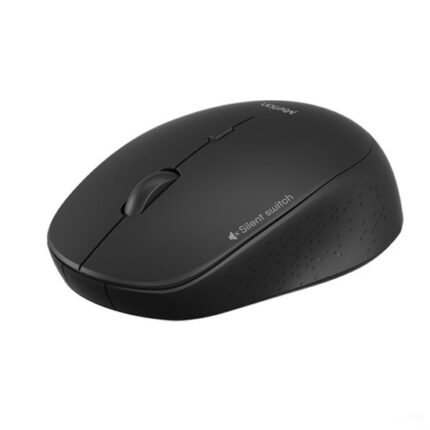
MEETION MT-R570 WIRELESS MOUSE (6M)

