





























ASUS 24" VZ24EHF 100Hz IPS Frameless Monitor
රු30,950.00
3 X Rs. 10,666.33 with


or 3 X රු10,666.33 with


SAMSUNG 24" PROFESSIONAL MONITOR
රු77,250.00
3 X Rs. 10,666.33 with
or 3 X රු10,666.33 with
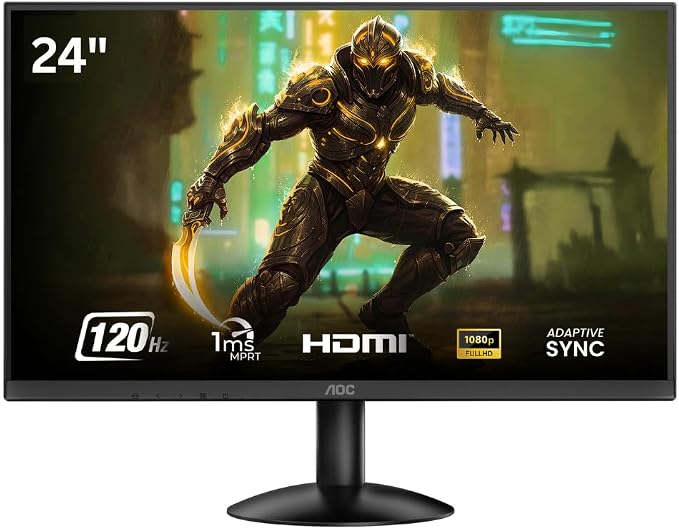
Aoc Monitor 23.8″ 24b30h3 Ips (3y)
රු 35,554.44
| 🏦 BANK TRANSFER /💰 CASH PAYMENT |
රු 35,554.44
රු 31,999.00
-10% OFF
|
|
🟢 KOKO / MintPay
Pay in 3 hassle-free parts
|
රු 11,851.48 × 3
Total: රු 35,554.44
|
| 💳 VISA / MASTER / AMEX |
රු 35,554.44
රු 33,776.72
-5% OFF
Powered by Genie Business
|
| Brand | AOC |
| Screen size | 24 Inches |
| Resolution | FHD 1080p |
| Aspect ratio | 16:9 |
| Screen surface description | Anti-glare Ips Panel |
| Response time | 1 Milliseconds |
| Refresh rate | 120 Hz |
| Power consumption | 20 Watts |
| Display resolution maximum | 1920 x 1080 MP |
| Special features | Adaptive Sync, Flicker-Free, Frameless |
| Weight | 4 kg |
|---|
Description
| Specification | Details |
|---|---|
| Model | AOC 24B30H2 |
| Screen Size | 23.8-inch |
| Panel Type | IPS |
| Resolution | Full HD (1920 × 1080) |
| Refresh Rate | 120Hz |
| Aspect Ratio | 16:9 |
| Viewing Angle | 178° / 178° |
| Brightness | Up to 250 nits |
| Response Time | 4ms–5ms (Typical) |
| Adaptive Sync | Yes |
| Flicker-Free | Yes |
| Low Blue Light | Yes |
| Ports | HDMI, VGA |
| VESA Mount Support | Yes |
| Bezel Design | Slim Bezel |
| Color | Black |
| Warranty | 3 Years |
Product Highlights
- 23.8-inch IPS display
- Full HD 1920 × 1080 resolution
- Smooth 120Hz refresh rate
- Wide 178° viewing angles
- Vibrant and accurate color reproduction
- Adaptive Sync technology
- Flicker-Free display
- Low Blue Light mode
- Slim bezel design
- HDMI and VGA connectivity
- Suitable for office and home use
- Great for multimedia entertainment
- Smooth casual gaming experience
- VESA mount compatible
- Includes 3-year warranty
Related products
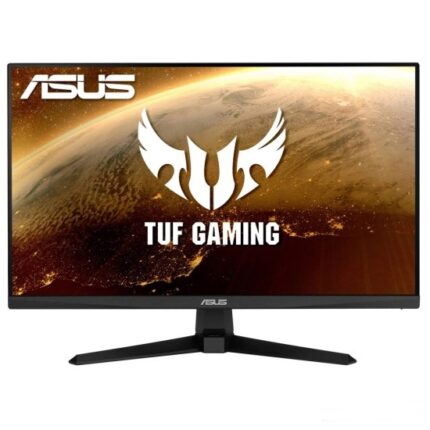
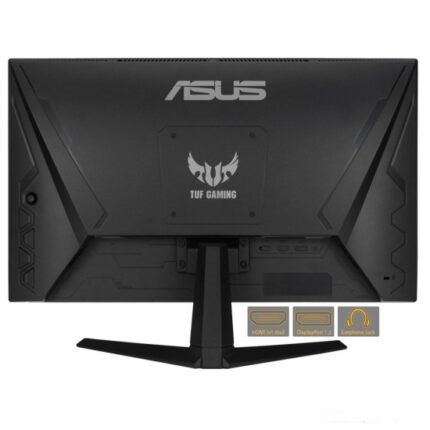
ASUS TUF GAMING VG249Q1A 24 IPS GAMING MONITOR- (3Y)
රු126,000.00
3 X Rs. 42,000.00 with
or 3 X රු42,000.00 with


HP All in One 24 CR0083D 23.8″ i3-1315 PC
රු235,000.00
3 X Rs. 78,333.33 with
or 3 X රු78,333.33 with


HP Series 3 Pro 21.45″ FHD Monitor 322pe
Core Technical Specifications
- Screen Size: 21.45 inches (54.48 cm) diagonal.
- Native Resolution: 1920 x 1080 (FHD).
- Brightness / Contrast: 250 nits of peak brightness with a crisp 1000:1 contrast ratio.
- Connectivity: 1 x HDMI 1.4 port and 1 x VGA port for easy connections to both modern laptops and legacy desktop PCs.
- Ergonomics: Sturdy tilt-adjustable stand (-5° forward to +23° backward) and integrated 100mm x 100mm VESA mount support for attaching to monitor arms or walls.
- Power Efficiency: Eco-friendly internal power supply drawing just 14.5W during standard use.
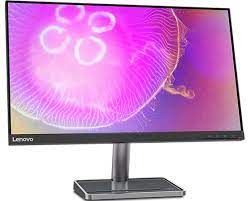
LENOVO L24Q-35 23.8-INCH QHD MONITOR- (3Y)
රු108,000.00
3 X Rs. 36,000.00 with
or 3 X රු36,000.00 with


NB Dual Monitor Mount, Dual Monitor Stand fits up to 32 Inch, Mechanical Spring Monitor Arm, VESA 75/100 mm, Model-A5C (Black)
රු19,900.00
3 X Rs. 6,633.33 with
or 3 X රු6,633.33 with


VIEWSONIC VA2432A-H 24” 120Hz IPS MONITOR(3y)
රු36,750.00
3 X Rs. 12,250.00 with
or 3 X රු12,250.00 with