




























Best Home Printers in Sri Lanka (2026 Buying Guide)

Buying a printer for your home can be confusing. There are many brands, different models, and a wide price range. The right printer depends on how often you print and what you print.
For most homes in Sri Lanka, an ink tank printer is the best choice. It may cost more at the beginning, but the ink lasts much longer than cartridges. This means your printing cost per page is much lower, saving you money over time.
If you only print a few pages every month, a cartridge printer can work. However, if you print school assignments, office documents, bills, or photos regularly, an ink tank printer is a much better investment.
Why Choose an Ink Tank Printer?
Ink tank printers have become the preferred choice for families, students, and home offices because they offer:
- Very low printing cost per page
- Thousands of pages from one set of ink bottles
- Better value over the long term
- Easy ink refilling
- Print, Scan, and Copy functions on most models
- Wi-Fi and mobile printing on many models
If you print more than 20 pages every month, an ink tank printer will usually save you money.
Best Home Printers in Sri Lanka
Epson EcoTank L3250 – Best Overall

The Epson EcoTank L3250 is one of the most popular home printers in Sri Lanka. It is a great choice for students, families, teachers, and anyone working from home.
Key Features
- Print, Scan, and Copy
- Wi-Fi and mobile printing
- Very low ink consumption
- Borderless photo printing up to 4R size
- Reliable Epson Heat-Free Technology
- Genuine ink is widely available in Sri Lanka
Best For
- School and university students
- Home offices
- Families
- Everyday document printing
- Printing 20–300 pages per month
HP Smart Tank 580 – Best for Families and Documents
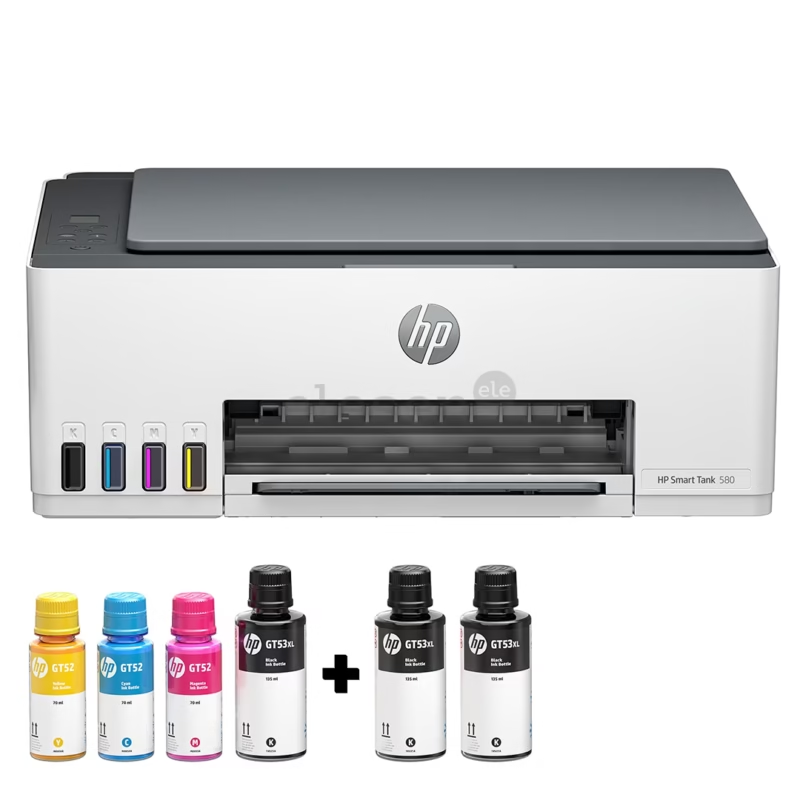
The HP Smart Tank 580 is designed for people who print documents regularly. It is easy to set up and works well with smartphones.
Key Features
- Print, Scan, and Copy
- Wireless printing
- Easy mobile printing
- Sharp text quality
- High page yield
Best For
- Office work at home
- School documents
- Everyday printing
Tips Before Buying a Home Printer
- Buy from an authorised dealer to get a genuine company warranty.
- Use genuine ink to keep your printer working well.
- Print at least one colour page every two weeks to help prevent clogged print heads.
- Use a surge protector or UPS to protect your printer from power fluctuations.
- Choose Wi-Fi if multiple people in your home will use the printer.
Canon Pixma MG2570S Printer, CANON PIXMA TS207 Printer, Wireless Inkjet Printer Canon Pixma TS307


